Bit-perfect playback, and how to know you have it
What bit-perfect means
A music file is a long list of numbers, the samples. Playback is bit-perfect when every one of them reaches your DAC (the device that turns the file into sound) unchanged: not converted to another sample rate, not mixed with other sounds, not turned down by the computer.
Bit-perfect is not a promise about sound quality. It is a promise that the player adds nothing and takes nothing away, so that what you hear is the recording and your equipment, not the software.
What usually gets in the way
Every computer has a mixer, so that several programs can make sound at the same time. To mix them, it brings everything to one sample rate and applies its own volume. Music that goes through the mixer may be changed on the way, however good the file is.
What Orpheic does
Orpheic takes the DAC for itself while it plays, and sends it the samples as they are in the file. It does this through ALSA on Linux, WASAPI exclusive mode on Windows, and Core Audio on macOS. While Orpheic plays, other programs cannot use that DAC. They can again as soon as it stops.
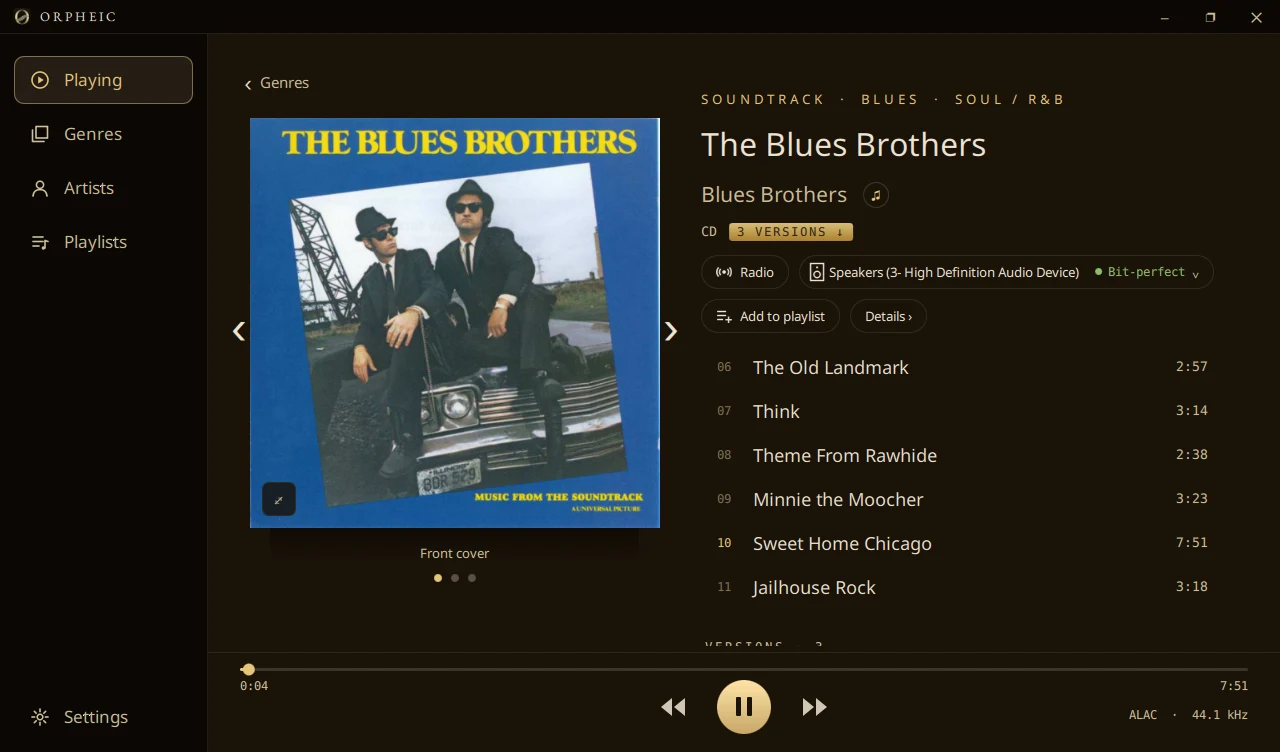
The sign beside the output
You should not have to take a player's word for it. Beside the output, Orpheic shows one of three signs:
- Bit-perfect. Every sample reaches the DAC as it is in the file.
- Shared. The computer's mixer is in the way, and may change the rate. This is what you get with the System default output, which lets other programs make sound too. There, your computer's volume keys set the level, and below full volume the sound is no longer bit-perfect.
- Altered. Something changed the sound, and the sign says what: a surround mix folded down to stereo, DSD made into PCM, a sample rate the output could not take.
Outputs that can never be bit-perfect
Some outputs change the sound whatever the player does. On a Mac these are Bluetooth, AirPlay, aggregate devices, and the Mac's own speakers and headphone jack. Orpheic does not show a green sign for them. It says what they are.
What Orpheic leaves out on purpose
Loudness levelling, crossfade and a digital volume control all change the samples. In Orpheic they are switched off. You set the volume on your DAC or amplifier.
There is one place where Orpheic changes the level, and it says so. When you compare two masterings at the same loudness, the sign says Altered until you stop. Compare masterings
DSD
DSD goes to the DAC as DSD, native or DoP, chosen for each DAC. SACD .iso and DSD in Orpheic
On the phone, too
Plug a USB DAC or headphone amplifier into your Android phone, and Orpheic Remote sends your music to it exactly as it is in the file, at home over Wi-Fi or away over mobile data. Through the phone's own speaker or headphone output, the Remote tells you that it is not bit-perfect. About Orpheic Remote
Get Orpheic
Orpheic is free. It runs on Windows 10 and 11, on macOS 13 or newer on a Mac with Apple silicon, and on Linux.